
LightTable for Windows
A free digital darkroom for Windows PCs. Windows support is experimental.
Windows 0.7.11 is available. Choose your processor below.
See the Windows app →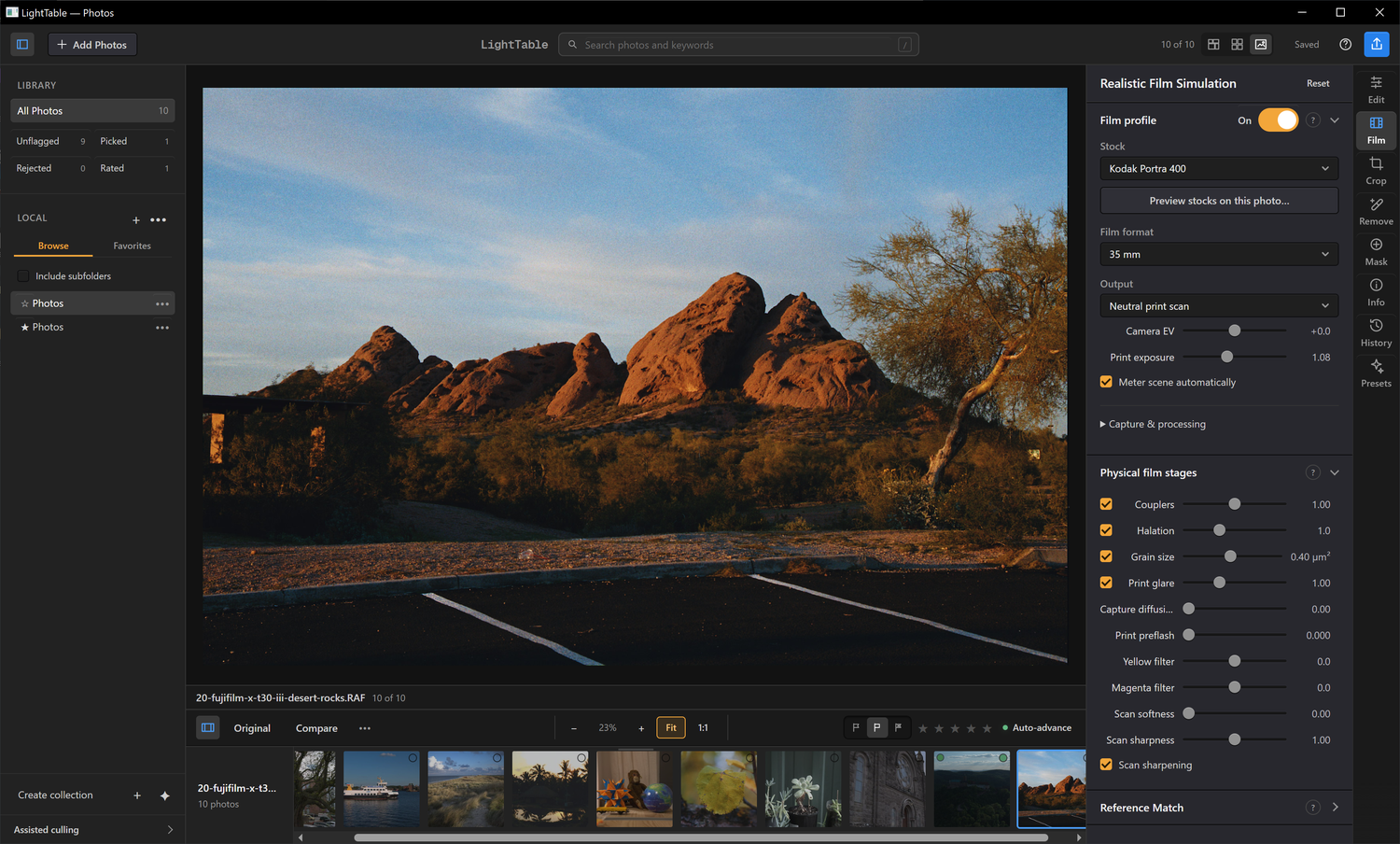
Choose your processor
Check Settings → System → About → System type. A native ARM64 package is not available.
Download and install
Choose your processor to check published Windows releases.
- Save the installer and matching checksum file in the same folder.
- Open the installer’s Properties → Digital Signatures. The release certificate identifies Nicholas Reville; the app publisher metadata is Chonkers LLC.
- Run the installer, then open LightTable from the Start menu. It installs for your Windows user account.
The installer includes Microsoft WebView2. You do not need a separate Python or Node installation.
Command-line installation on Windows x64
With Scoop installed:
scoop bucket add lighttable https://github.com/reville/scoop-lighttable
scoop install lighttable
Use scoop update lighttable to update a Scoop installation.
With Node.js and npm installed:
npm install -g lighttable-digital-darkroom
lighttable install
The npm command downloads and verifies the signed Windows installer. Installing the npm package alone does not install the desktop app. On Windows ARM, use the direct x64 installer above.
Verify the download with PowerShell
Open PowerShell in your Downloads folder and replace the filename below with the installer you downloaded. Compare the result with the SHA-256 beside your installer’s filename in the checksum file.
Get-FileHash .\LightTable-0.7.11-windows-x64-setup.exe -Algorithm SHA256Your photos and saved edits
LightTable keeps your originals in their existing folders. Direct installer installations can use the in-app update check, or you can close LightTable and run a newer installer. Portable ZIP installations update by replacing the extracted application. To remove the application, use Windows Settings → Apps → Installed apps → LightTable → Uninstall. Removing the app preserves photos, catalogs, preferences and caches.
For managed installations, the installer and uninstaller accept /S for silent operation. Close LightTable before either operation.
Experimental Windows support
The x64 build targets Windows 10 and 11 and requires a working DirectX 12 graphics driver. The signed 0.7.11 installer passed offline installation, native editing, 16-bit TIFF export and reopening on Windows 10 and Windows 11 test VMs. Windows 10 started without WebView2; Windows 11 had it preinstalled.
Version 0.7.8 passed installation, repair, removal and native editing, 16-bit TIFF export and reopening under x64 emulation on Windows 11 ARM. This does not establish native ARM64 support or physical GPU/display validation.
The installer and portable ZIP are available from the verified Windows release. Read the test results and coverage limits.
LightTable is also available in the Microsoft Store. Store updates follow a separate review process, so its version may differ from the direct installer above.
Report a problem · Contact support · Technical Windows documentation